How to Delete Instagram Account Permanently Latest Method
How to Delete Instagram Account Permanently Latest Method
Social media, struggling with A digital distractions, or and simply looking to the protect your personal privacy online If you have decided to take a permanent break from the platform, Instagram latest interface updates have changed where the account removal settings are a located
This is comprehensive step by step guide walks you through the a exact technical process to permanently delete on your Instagram account using the modern Accounts Center portal on your smart phone
Important Checklist Before Deleting Your Account – How to Delete Instagram Account Permanently
Before a you proceed with the for final deletion, keep these critical points of mind
Complete Data Loss : Deleting your profile means all your followers, uploaded posts, reels, archived stories, and a chat histories will be removed forever
- Linked Profiles : Your connected a Threads profile and associated data will also be deleted simultaneously
- Data Export Option : If you wish to the save your memories, click on the Export Info option before confirming deletion to download a complete copy of your digital data for your mobile – How to Delete Instagram Account Permanently
- Deactivation Alternative : If you are unsure choose the Deactivate Account the option instead This hides your profile from everyone but allows you to a log back in and restore your account whenever you want
Simple Step by step Guide to How to Delete Instagram Account Permanently
- Open your Instagram App and tap your profile icon in the bottom right corner
- Tap the Three Lines Menu icon located in the a top right corner
- Select and tap on the Accounts Center tab at the top of the a settings list
- Scroll down and click on the Manage Account under the account settings panel
- Select the specific Instagram ID profile you want to delete from your linked accounts list
- Click on the Deactivation or Deletion option
- Select the Delete Account (Permanently Delete Your Account) radio button
- Tap the blue Continue button
- Select a valid survey reason for your exit (e.g., Too busy / Too distracting) from the given prompt list
- Tap Continue again to bypass temporary uninstall suggestions
- Enter your correct Instagram Password in the security field box
- Click Continue
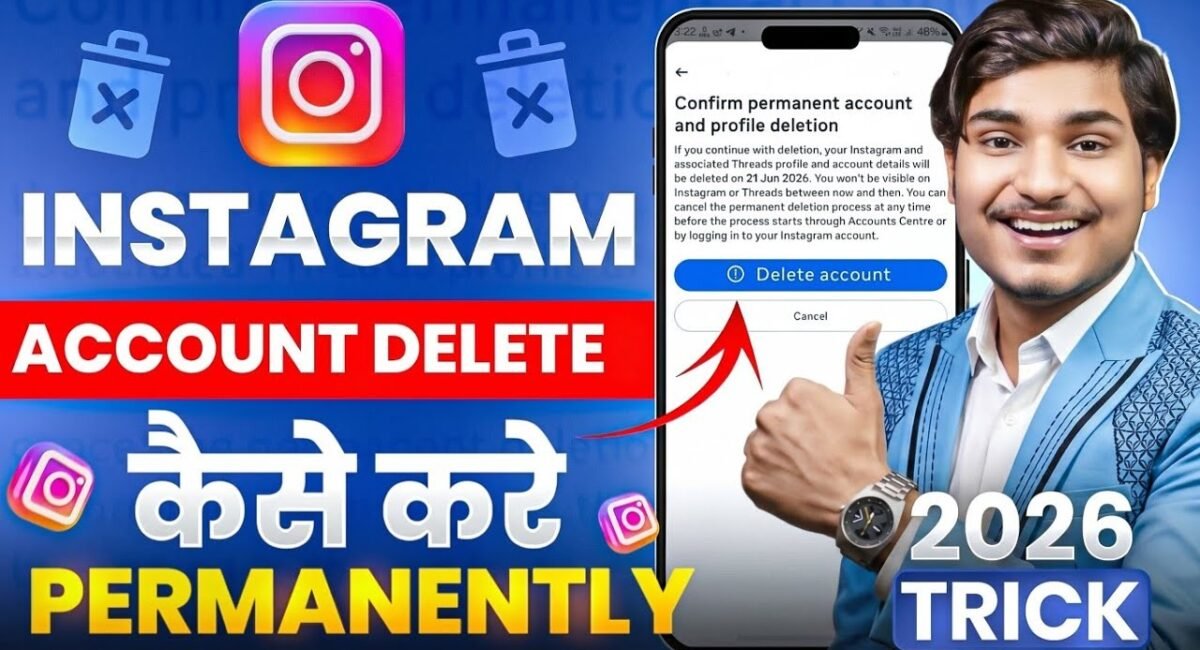
- Finally, tap the Delete Account confirmation button
Table of Contents
Once you click the final button, your profile will instantly disappear from public view, but it is a not deleted immediately, Instagram grants a the strict 30day cooling off window before purging data a from its backend databases, Crucial Warning : You must the not log back into your account across any device during this 30 day window – More How To Delete instagram Account Today Visit kanixo
If you accidentally or intentionally log in before the specified target date on the permanent deletion request will be canceled, and your profile will reactivate automatically us this tips today, success for instagram